> For the complete documentation index, see [llms.txt](https://docs.marblex.io/llms.txt). Markdown versions of documentation pages are available by appending `.md` to page URLs; this page is available as [Markdown](https://docs.marblex.io/services/mbx-nft/airdrop-and-claim.md).
# Airdrop & Claim
## Airdrop
### Overview
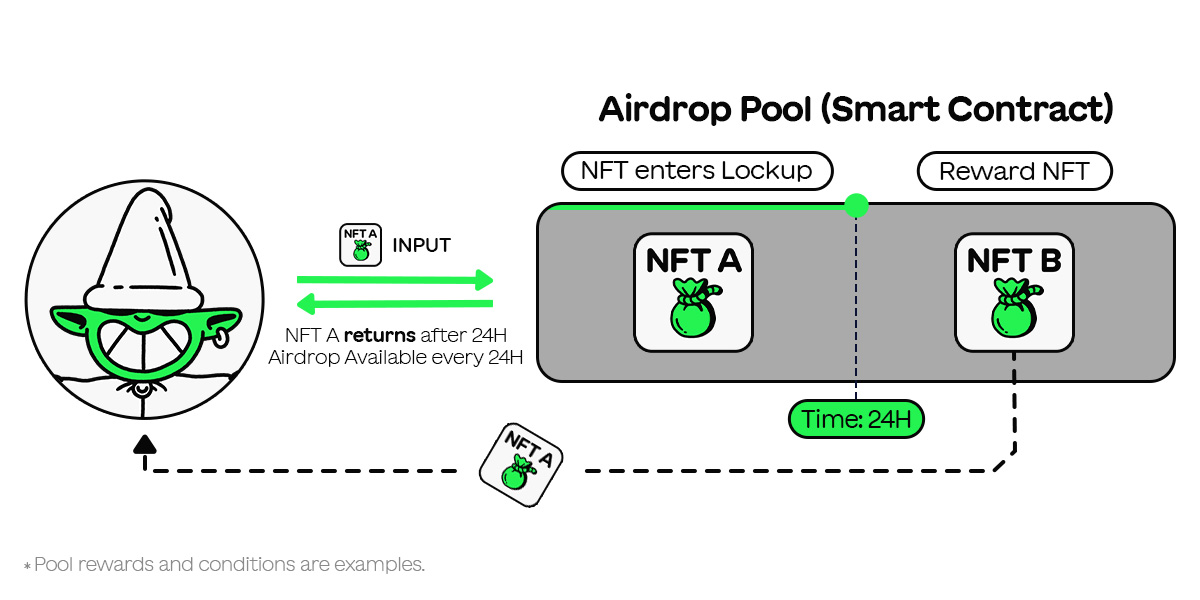
In each airdrop pool, users can input NFTs to the pool that are required as an airdrop condition and receive an immediate airdrop of new NFTs.
NFTs that are input by users are automatically returned to the user's wallet after a lockup period, which may vary for each pool. Users are able to reuse the same NFTs to receive an airdrop.
### Details
#### Snapshot Time
Snapshot Time refers to the lockup period and the required snapshot time for each pool may vary. NFTs input by users are automatically returned to the user's wallet after the lockup period from the time of submission.
For example, if you have a pool with a lockup period set to 24 hours, any NFTs you input will return to you 24 hours later. This means that you can use the same airdrop pool every 24 hours.
#### Requirement NFT
In each airdrop pool, users must submit specific NFTs, which will then enter a lockup period.
## Claim
### Overview
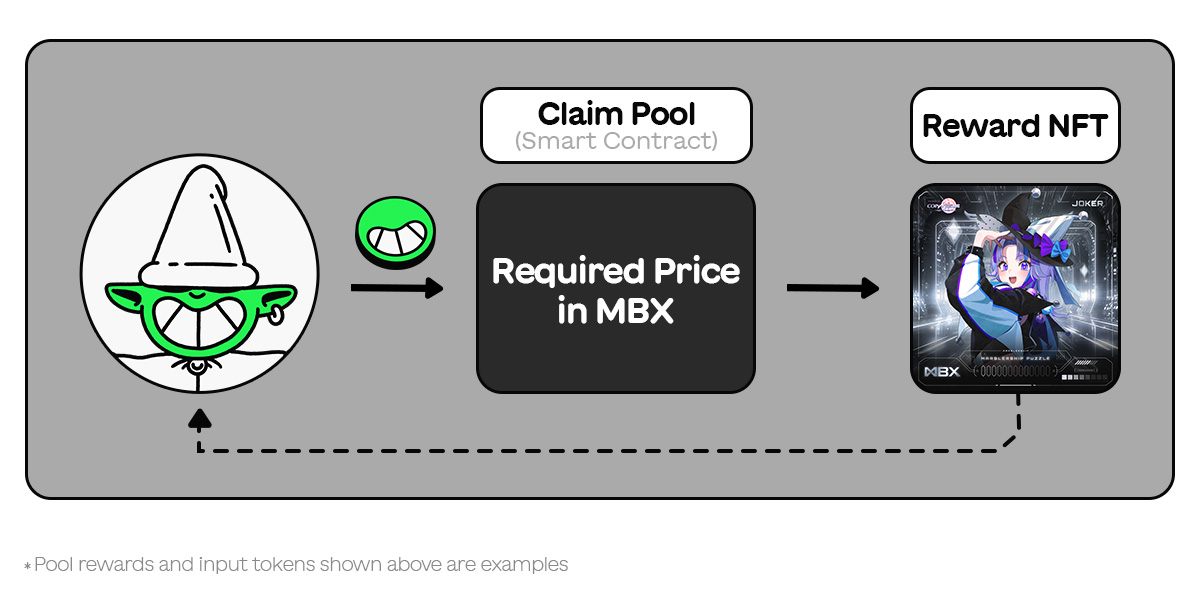
In Cloim pools, users can submit a specified token to the pool and receive a random NFT.
No input NFT is required in Claim, however the token payments will not be returned.
### Details
#### Requirement NFT
No specific NFTs are required to obtain the reward NFT. Users can acquire it by paying only the specified token.